
Hello.
Hallo.
Hola.
Bonjour.
Ciao.
Olá.
Let’s start with what matters.
Beginnen wir mit dem Wesentlichen.
Empecemos por lo importante.
Commençons par l’essentiel.
Partiamo da ciò che conta.
Comecemos pelo que importa.
Notch is a teleprompter that sits above Zoom, Meet or Teams and follows your voice, then gives you the recording and recap when you’re done.
Available today: the Notch teleprompter. Recording, editing, AI writing and recaps are coming soon.
 Illustrative Notch walkthrough: turn fictional Q2 notes into a script in Writer, follow the script while presenting, record a presentation with a camera bubble, then view a saved meeting recap after processing. The sequence is edited for time. No screen, microphone or camera is accessed.














One connected workflow from rough notes to the finished recap.

Turn rough notes and documents into a presentation-ready script.

Let Notch follow your voice while you focus on your audience.

Record your screen, camera, microphone, and system audio.
Turn meetings into recordings with transcripts and summaries.
Four focused tools, one connected workspace.
Keep your words beside the camera while Notch follows your voice during presentations, demos, lessons, pitches, and videos.
Illustrative demo: spoken words darken as the script follows along, pauses, then resumes in an automatic loop. No microphone is used. Example script: Quick Q2 update: revenue is up 14%, activation reached 68%, and churn is down to 3.1%. We’re still two points below our activation target. This quarter, we’re focusing on onboarding so new teams see value sooner.
Auto-detect meetings and create Recaps with recordings, transcripts, notes, and summaries.
 Illustrative recap: Sultan and Adam review Q2 on Google Meet. Notch offers transcription and the user accepts. After the meeting and processing, the transcript and summary appear, then the summary is copied. All people and figures are fictional; no meeting is recorded. MRR reached $184k (+14%). Activation: 68% against a 70% target. Churn fell to 3.1%. Prioritise guided onboarding to address setup friction before increasing acquisition spend. Adam — launch the onboarding pilot by July 12. Sultan — review activation and churn on July 19.
Capture any screen, window, area, or camera with audio and a customizable camera bubble.
 Illustrative recording setup: click Area, drag a capture region, enable camera and microphone and drag the camera bubble into the corner. Start recording after a countdown, then show fictional Q2 results, Q3 priorities and action items. No screen, camera or microphone is accessed. System audio availability depends on platform and permissions.
Add captions, zooms, trims, choose a background, and export a polished recording
 Illustrative edit of the fictional Q2 recording: drag the trim handle to remove the opening pause, choose a built-in wallpaper, add a cursor-following zoom and enable existing captions. Preview the result, then open export settings at 720p and 30 frames per second. No video is uploaded or exported; the original recording stays untouched. Revenue is up 14% this quarter. Next, we’re making onboarding simpler.
Voice following in English, German, Spanish, French, Italian and Portuguese.
Hello.
Hallo.
Hola.
Bonjour.
Ciao.
Olá.
Let’s start with what matters.
Beginnen wir mit dem Wesentlichen.
Empecemos por lo importante.
Commençons par l’essentiel.
Partiamo da ciò che conta.
Comecemos pelo que importa.
Additional languages need a one-time model download. Learn more
Keep your talking points out of supported screen captures.
Protection varies by app and operating system. Learn more
Keep Notch beside the calls and presentations you already run.
The speech recognition that follows your script runs on your computer.
Cloud transcription and AI generation use online services. Learn more
Prepare your pitch, guide the demo and revisit the conversation before following up.
Walk customers through a setup and record explanations they can return to.
Keep lesson points in view and turn your explanations into reusable recorded lessons.
Keep questions and talking points close, then review your client calls and interviews.
Present updates and record briefings for colleagues who couldn't join.
Demo a feature or explain a workflow, then share the recording with your team.
Buy it once and keep it. Plus and Pro, with recording, editing, AI writing and recaps, are coming soon.
For presentations, interviews and the occasional big moment. Get a teleprompter license that stays yours, on Mac and Windows.
$17.99 One-time purchase
Buy teleprompterRecording, editing, AI writing and meeting recaps are planned for Plus and Pro, which are coming soon.
$7.99 / month
The complete prepare, present, record, and recap workflow.
$13.99 / month
For busy weeks, longer meetings and a look that’s yours.
Plus and Pro add recording, editing, AI writing and meeting recaps. Not available yet.
Stories we’re gathering from interviews, lessons and everyday work.

“Notch helped me keep my talking points in view throughout my interviews. I could focus on the conversation without worrying about forgetting something I wanted to say.”
“Communicating complex scientific topics is an important part of my work. I’ve used Notch for several conference presentations and found it a useful addition to my presentation toolkit.”

“I usually have a lot of ideas and put effort into making my presentations visually strong, but delivering everything I want to say as smoothly as I imagine it can be challenging. Notch helps bridge that gap, allowing me to communicate my ideas more naturally and confidently”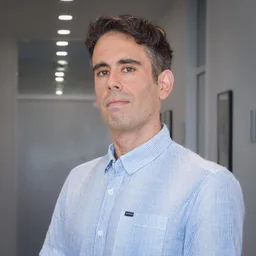

“I used Notch regularly for a couple of months to prepare for a grant interview, and relied on it during the interview itself. Having my points right in front of me let me focus on the conversation instead of my notes. I’d happily recommend it.”From your first script to your finished recording.
Today you can download and buy Notch Teleprompter for Mac and Windows: voice following, manual scrolling and privacy during supported screen sharing. Recording, editing, AI writing and meeting recaps are planned for the Plus and Pro plans, which are coming soon.
Prepare a script, keep your words near the camera, record your screen or camera, and return to meeting transcripts and summaries. Notch brings a voice-following teleprompter, Writer, recording, editing, and Recaps into one workspace for presentations, interviews, lessons, product demos, and videos.
Notch is a desktop app for macOS and Windows. Its floating teleprompter works alongside meeting, presentation, and recording apps, so you can keep using tools such as Zoom, Google Meet, Microsoft Teams, OBS, and Loom. Recording sources and system audio depend on your platform and permissions.
Notch uses your microphone to follow your place in a prepared script as you speak. You can also use manual scrolling and adjust the pace. Voice following supports English, German, Spanish, French, Italian, and Portuguese using local speech models; additional languages need a one-time model download.
Turn on Hide from screen sharing to keep the teleprompter out of supported captures. Protection depends on your operating system and the app or capture method you use, so check a test share before presenting. A camera bubble included in your recording remains visible.
Yes. Paste your script or import a TXT, PDF, or DOCX file. Writer can turn notes and source material into a draft that you review, edit, and send to the teleprompter. AI drafting needs internet access and is included in your plan; writing and importing your own text never uses it.
Choose a display, a window, a selected area, or camera-only recording. Add your microphone, supported system audio, and a movable camera bubble. Plus and Pro support recording and export up to 1080p at 60 fps; available quality also depends on your device and the original recording.
The built-in editor lets you trim and split clips, crop the frame, add cursor-following or fixed-point zooms, adjust camera moments, and add captions and backgrounds. Edits preserve your original recording. Automatic captions use cloud transcription; custom background images, colors, and gradients are Pro features.
Notch can recognise meetings in Zoom, Teams, Google Meet, Webex, and Slack huddles and offer to start a Recap. You choose when capture begins. Recaps bring recordings, transcripts, your notes, and generated summaries together so you can review and copy the useful parts. Cloud transcription and AI summaries require internet access.
Voice following runs on your device once its language model is installed. Paid local features have a limited offline window after account verification, while a Legacy license keeps its permanent teleprompter access. Sign-in, trial verification, model downloads, Writer generation, cloud transcription, and AI summaries need internet access.
Your recording library and edits are stored locally, and teleprompter voice following processes speech on your device. When you use cloud transcription, automatic captions, Writer, or AI summaries, the content needed for that task is sent for cloud processing. Optional usage analytics excludes scripts, recordings, transcripts, and notes and can be turned off in Settings.
Yes. Sign in to start a 7-day trial with no payment card required. The trial includes recording and edited export up to 720p at 30 fps, AI writing, and Recaps up to 30 minutes. Automatic captions and Pro custom backgrounds are not included. Your account shows your trial status.
Both include the teleprompter, screen-share privacy, recording, editing, AI writing, and Recaps. Pro offers nearly twice the AI writing, Recap, and cloud transcription capacity of Plus and adds custom backgrounds. See the pricing page for the full comparison. Compare plans
Nothing changes. Your license keeps working, including voice following and screen-share privacy. This includes Legacy licenses from the original release. Plus and Pro, which are coming soon, will be optional extras for the new recording, editing, AI writing and recap features. If your purchase isn’t recognised, contact support with the email you used at checkout. Contact support
Use Manage subscription in Notch or the Polar customer portal to manage or cancel your plan. When you cancel, paid access continues until the end of your current billing period. For setup, purchase, activation, or refund questions, contact syed@socia.ae using the email address associated with your purchase. Customer portal Contact support
Yes. Notch Teleprompter is $17.99 as a one-time purchase for Mac and Windows. It includes voice following, manual scrolling, privacy during supported screen sharing, watermark removal and future Notch Teleprompter updates. Your license does not expire and works on up to 3 devices. Polar emails your license key after purchase. The broader Plus and Pro tools are sold separately. Explore the teleprompter