AI Note Taker for Zoom, Teams and Google Meet
Notch is an AI note taker for Mac and Windows that records your Zoom, Teams and Google Meet calls on your computer, with no bot in the meeting. When you stop, it writes the transcript with who said what, a summary, decisions and action items. The same app keeps your talking points by the webcam while you talk.
Free 7-day trial, no card required · From $7.99 a month · Mac and Windows
How the Notch note taker works
Download Notch for Mac or Windows and start the free 7-day trial, no card required.
Join your call. Notch sees the Zoom, Teams, Meet or Webex window and offers to start a recap.
Tell everyone you're recording, then talk as usual while Notch records on your computer.
Choose Stop. You get the transcript, summary, decisions and action items.
Notes without a bot in the call
No bot joins
Notch records on your computer, so the participant list stays the same and nobody has to admit a note taker.
Knows who said what
Name a speaker once and Notch recognises their voice in later recaps. Voiceprints stay on your computer.
Summary, decisions and tasks
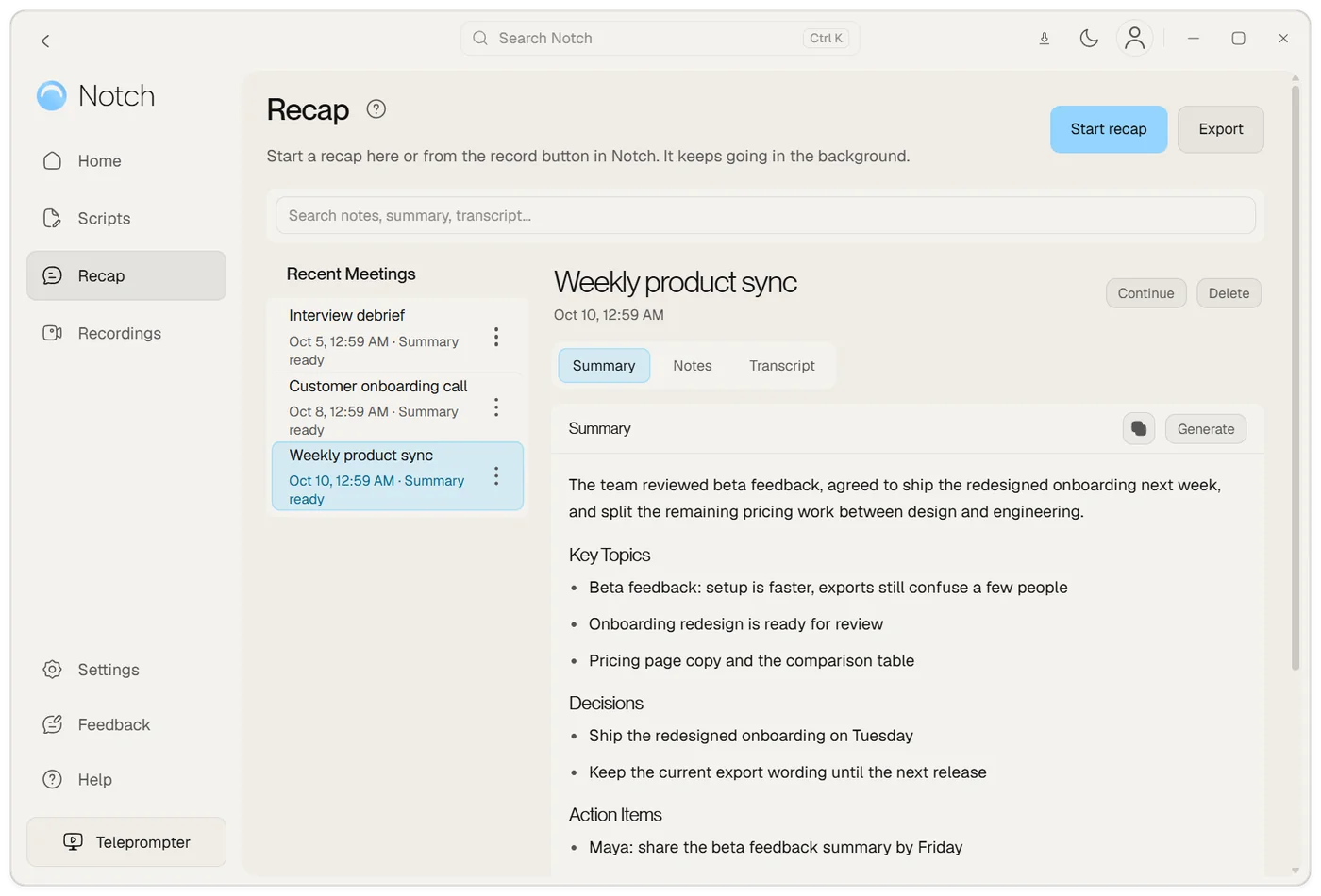
Each recap has an overview, what was decided, action items with owners and timestamped chapters.
Sends work where it goes
Save a recap to Notion, turn action items into Linear issues, or export the summary and transcript as text or PDF.
Ready before the call
Connect Google Calendar and Notch shows your next meeting and is ready to recap it when it starts.
Your notes in view too
The same app keeps your talking points under the webcam, so you can lead the call and get the recap.
A note taker with no bot in the call
Many AI note takers send a bot into the meeting as an extra participant. The host has to admit it, everyone sees it in the list, and some companies block it. Notch records on your own computer instead, so nothing joins the call and it works the same in your own meetings and a customer's.
That also means it works where a bot can't: a call in a browser, a Slack huddle or a meeting in the room with your laptop on the table. Tell people at the start that you are recording. Saying it out loud is the notice, because no bot announces it for you.
What you get after each call
| Part | What it shows |
|---|---|
| Summary | A short overview of the call |
| Decisions | What the group agreed |
| Action items | Tasks, with who agreed to them |
| Chapters | Key discussion points with timestamps you can jump to |
| Transcript | Every word, labelled by speaker |
Review names, decisions and action items before you share them, as you would with any AI notes. You can continue a finished recap later on Plus or Pro, and Notch adds the new part to the same meeting.
Built for calls that need a follow-up
- Sales and account teams: review the demo and send the follow-up with the customer's own words in front of you.
- Customer success: keep a record of each onboarding call and the next steps everyone agreed.
- Consultants and recruiters: go back to what a client or candidate said without taking notes during the call.
- Team leads: send the decisions and owners to people who couldn't join.
With Pro, every recap also adds to a page for each person you meet: when you last spoke, what you discussed and what you each agreed to do.
Private by default
Recaps, recordings and voiceprints stay on your computer. To make the transcript, Notch uploads the audio once to its transcription service and deletes the audio from your device once the transcript is saved. Speaker recognition and voice following run on your computer. The details are on the privacy and data page.
Plans
Start with a free 7-day trial, no card required. Meeting recaps come with Plus at $7.99 a month, and Pro at $13.99 a month has nearly twice the capacity, with recaps of up to 4 hours. Recaps use your plan's transcription hours and AI credits, so check pricing for the allowances. If you only want the teleprompter, it's $14.99 once and doesn't include recaps.
Compared with other note takers
If you're choosing between note takers, these pages compare Notch with the popular ones, using each company's own website: Otter, Granola and Fireflies. For step-by-step recording guides, see Zoom, Teams and Google Meet.
Frequently asked questions
What is an AI note taker?
An AI note taker records a meeting, turns the speech into a transcript and writes notes from it, such as a summary, decisions and action items. Some note takers join the call as a bot; Notch records on your computer instead.
Does Notch join my meetings as a bot?
No. Notch records the call's audio on your Mac or Windows computer, so no extra participant joins the meeting. Always tell people you are recording.
Which meeting apps does it work with?
Notch offers to start a recap when it sees Zoom, Microsoft Teams, Google Meet, Webex or a Slack huddle, and you can start one by hand for any other call or a meeting in the room. It works alongside the app; it isn't a plug-in.
Is there a free AI note taker?
Notch has a free 7-day trial with no card required. Meeting recaps then come with Plus at $7.99 a month or Pro at $13.99 a month. Pro has nearly twice Plus's capacity, with longer recaps.
Where are my recordings and transcripts stored?
Recaps, recordings and voiceprints stay on your computer. To make the transcript, Notch uploads the audio once to its transcription service, then deletes the audio from your device once the transcript is saved.
Can it recap recordings I already have?
Yes. Import an existing recording and Notch turns it into a recap with a transcript, summary and action items.
Does it work on Mac and Windows?
Yes. Notch runs on Mac (Apple Silicon and Intel) and on 64-bit Windows 10 and 11. On a Mac, capturing other people's audio needs macOS 14.2 or later. On Windows you can start a recap from the tray.