How to Record Google Meet
To record Google Meet, click Meeting tools, then Recording, if your Google edition includes recording, or use a desktop app such as Notch that records on your computer and writes the recap. Meet's own recording needs a paid Google Workspace or Google One plan and the host's permission. Notch records any Meet call on Mac or Windows, including on a free Gmail account, with no bot in the meeting.
Record Google Meet with Notch
Download Notch for Mac or Windows and start the free 7-day trial.
Connect Google Calendar if you like, so Notch shows your next meeting on Home.
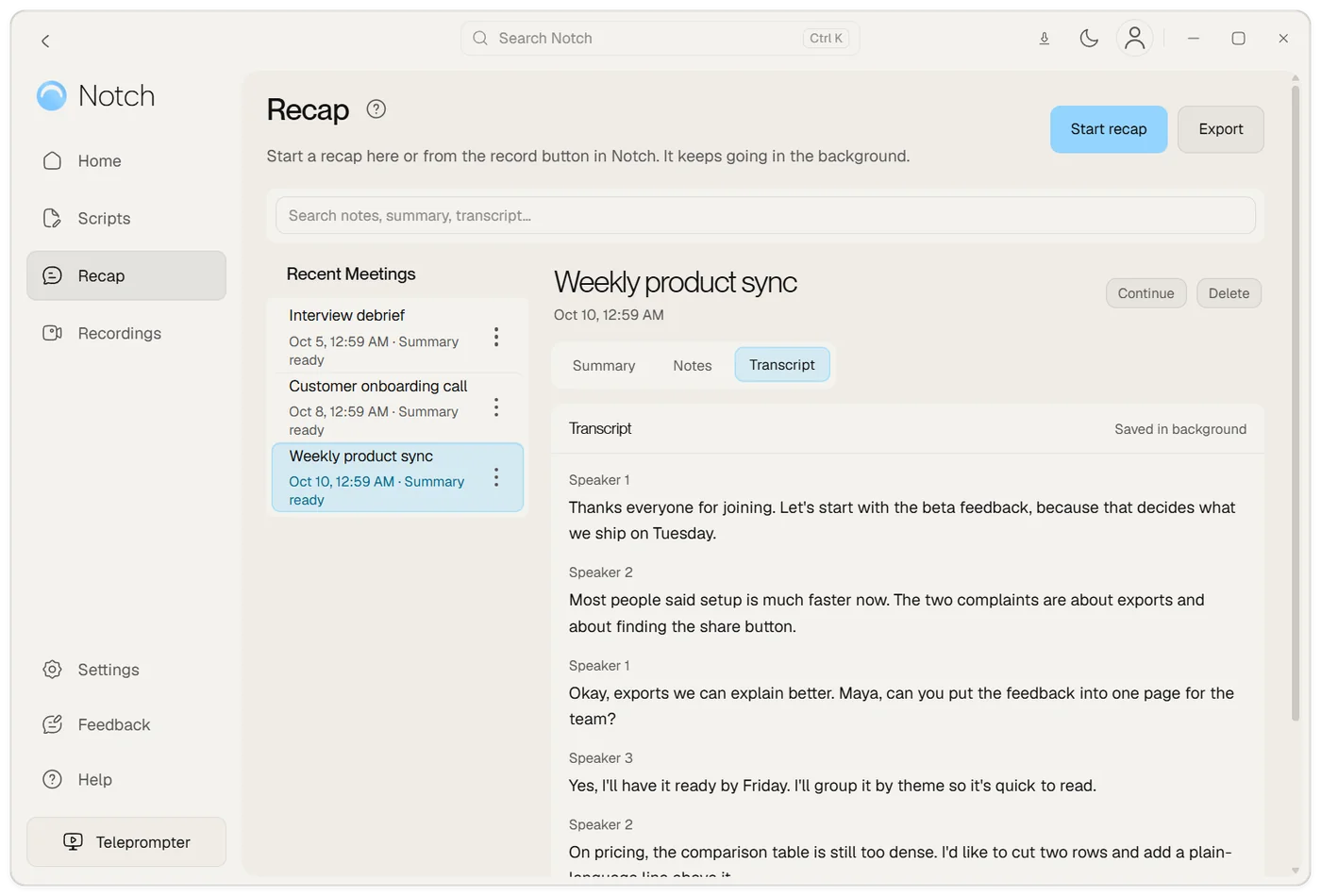
Join the Meet call in your browser. When Notch offers to start a recap, choose Start, and tell everyone you are recording.
Choose Stop when the call ends. Notch writes the transcript, summary, decisions and action items.
Record with Google Meet's built-in recorder
Google Meet can record on a computer or an Android device. The recording includes the active speaker and anything presented, and you can save captions with it.
- Start or join the meeting on a computer.
- At the bottom right, click Meeting tools, then Recording. Pick a language if you want captions saved too.
- Click Start recording, then Start in the pop-up.
- To stop, click Meeting tools, Recording, then Stop recording. The recording also stops when everyone leaves.
Participants are notified when the recording starts or stops. A Meet recording can run for up to 8 hours.
Which Google accounts can record
Google lists recording for these editions:
- Business Standard and Business Plus
- Enterprise Starter, Standard and Plus, and Enterprise Essentials
- Essentials, Workspace Individual and Education Plus (staff licences)
- Google One plans with 2 TB or more of storage
A free Gmail account can't use Meet's Record button. Your admin also has to turn recording on, and you can only record if the host has permission to record.
Where the recording goes
Meet saves recordings to the organizer's Google Drive, in a Google Meet folder with a sub-folder for each meeting. The organizer and the person who started the recording get an email with the link, and the link is added to the Calendar event.
Record Google Meet with Notch
Notch is a Mac and Windows app that records the call on your computer, whatever your Google account. No bot asks to join, so the participant list stays as it is.
- Calendar knows what's next. Connect Google Calendar and Notch shows your next meeting and is ready to recap it when it starts. You can connect several Google accounts, so work and personal calendars both show.
- It offers, you choose. When Notch sees the Meet window, it offers to start a recap. Nothing records until you say so.
- Your notes stay in view. Keep talking points in the Google Meet teleprompter while the recap runs.
The recap has a summary, decisions, action items, timestamped chapters and the full transcript split by speaker. Save it to Notion, turn action items into Linear issues, or export it as text or PDF. When you choose Stop, Notch uploads the audio once, transcribes it and deletes the audio from your device once the transcript is saved.
Ask before you record
Tell people at the start of the call that you are recording, and why. Meet only notifies people about Meet's own recordings, so when you record with Notch, saying it out loud is the notice.
Frequently asked questions
Can I record Google Meet on a free Gmail account?
Not with Meet's own Record button. Google lists recording for paid Google Workspace editions, Workspace Individual and Google One plans with 2 TB or more. Notch records the Meet call on your computer whatever your Google account, with no bot in the meeting.
Why can't I see the Record button in Google Meet?
Your Google edition may not include recording, your admin may not have turned it on, or the host may not have permission to record. In Meet, you can't record if the host can't. Recording also works only on a computer or an Android device.
Where are Google Meet recordings saved?
In the meeting organizer's Google Drive, in a Google Meet folder with a sub-folder for each meeting. The organizer and the person who started the recording get an email with the link.
How do I get a transcript of a Google Meet call?
Meet's transcripts depend on your Google Workspace edition. Notch writes a transcript with who said what for any Meet call you record with it, along with a summary and action items, on Plus or Pro.
Does the Notch Chrome extension record Meet?
No. The Chrome extension is a teleprompter only. Recording and recaps need the Notch app for Mac or Windows.
Does Notch join the Meet call as a bot?
No. Notch records on your computer, so nobody asks to join the call. Tell people you are recording.