Account & billing
Find your plan, manage a subscription and resolve access questions.
On this page
Use the account associated with your purchase. Have your receipt email handy if you need help restoring access.
Sign in to the right account
Use Notch’s account controls to sign in. If you already subscribed, use the same account you used for the purchase and allow the browser to return you to Notch.
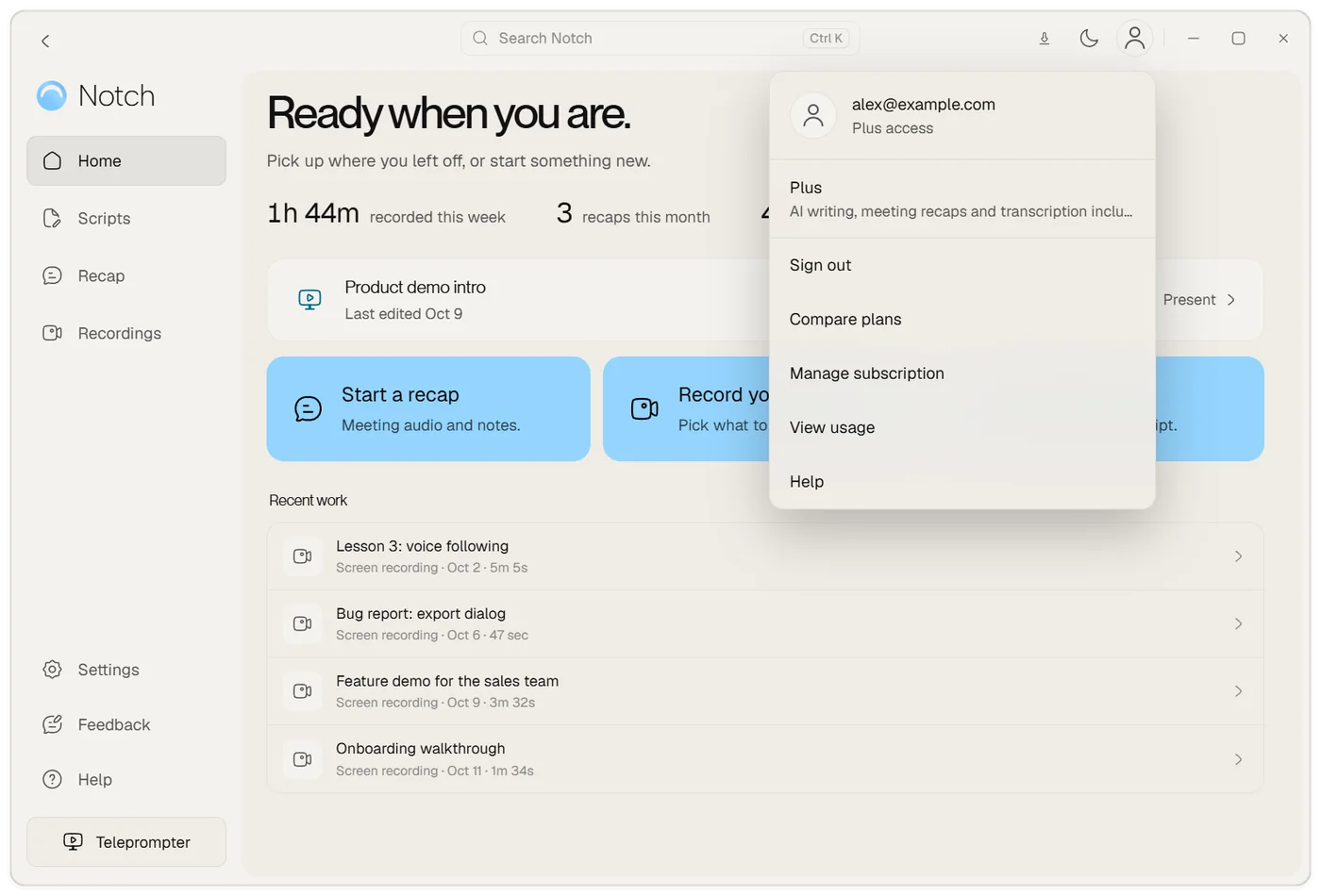
Choose the person icon at the top right of Notch to see which account you are signed in with and which plan it has. The same menu has Compare plans, Manage subscription and View usage. Settings → Account shows the same details together with what is left of your allowances this period.
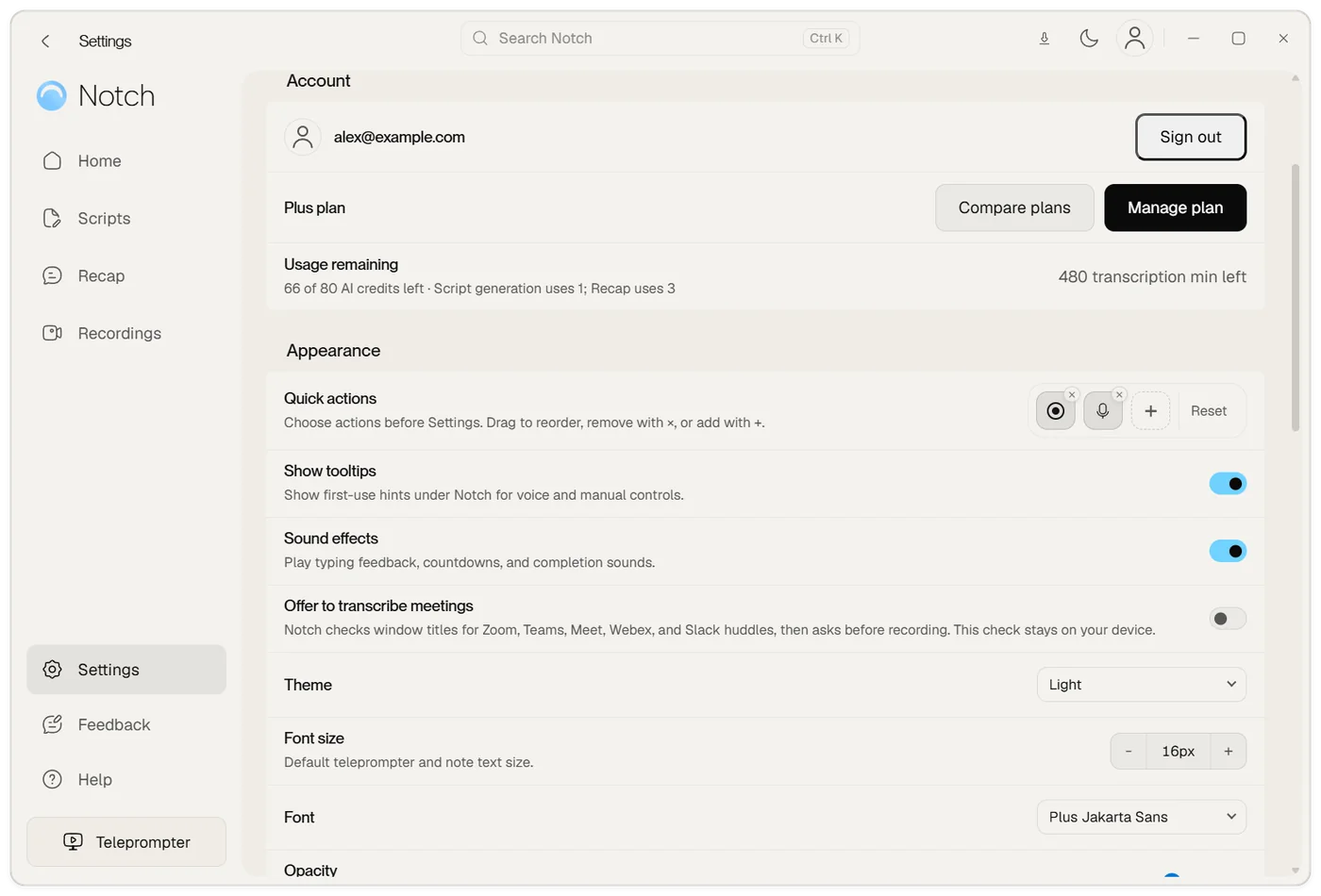
If access is not showing, check your account and connection before starting another checkout. Your payment receipt is useful when support needs to find a purchase.
Manage a subscription
Choose Manage subscription in Notch’s account or plan controls to open the Polar customer portal. Use it for billing, cancellation and changes to an existing paid plan.
Review the portal’s confirmation and effective date when changing or cancelling. Contact support for payment problems or refund questions.
Plans, trials and allowances
Your account determines which features and limits apply. Check the plan and usage information in the app before a long recording or cloud task.
AI credits and cloud transcription are separate allowances. Script generation and recap generation use AI credits; cloud transcription uses its own allowance. Paid allowances reset by billing period and do not roll over.
Trial access has different limits from a paid plan. A trial, a Plus or Pro subscription, and a permanent Legacy grant are distinct types of access.
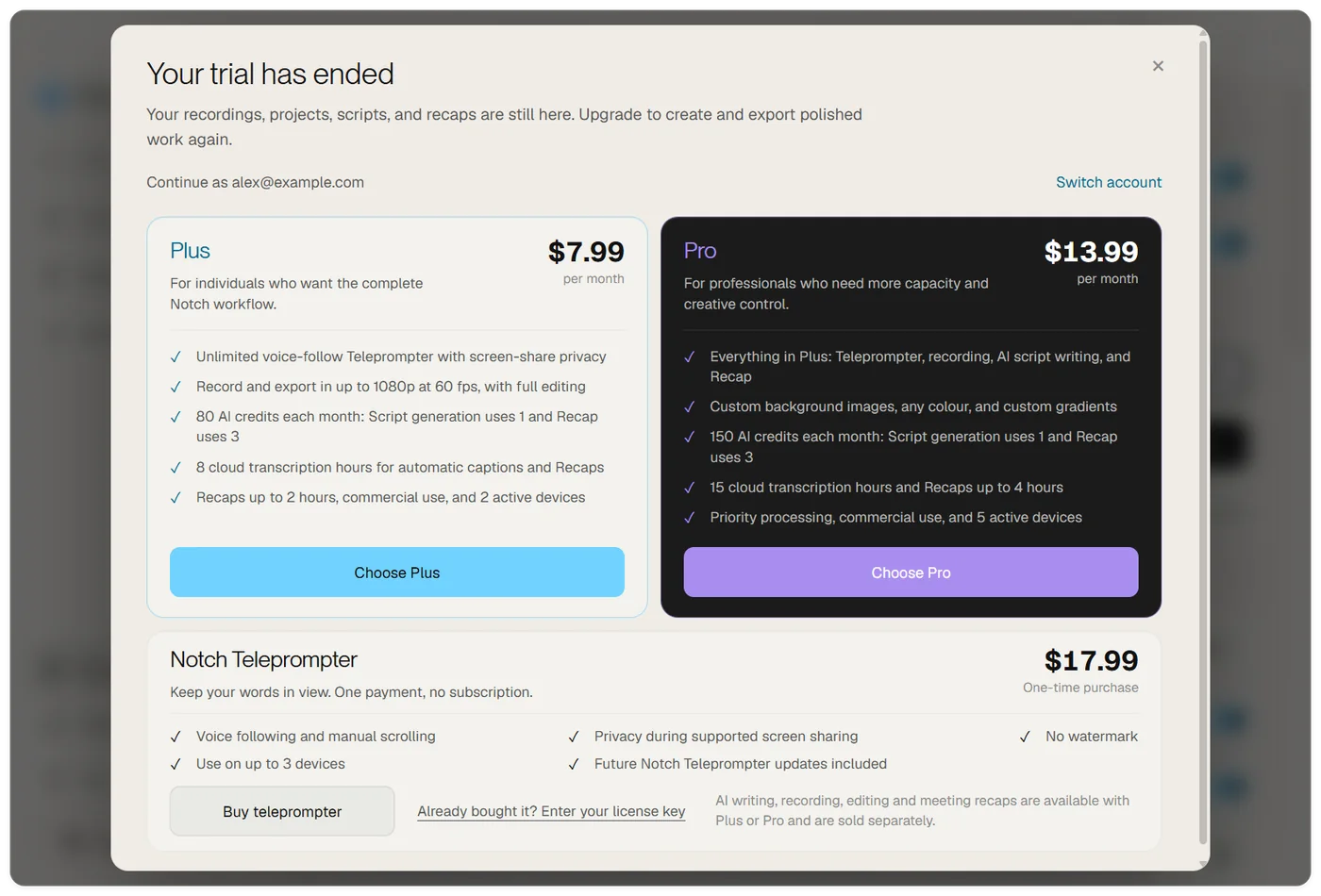
If you only need the teleprompter, Notch Teleprompter is a one-time purchase and is shown under Plus and Pro when you choose Compare plans or View plans in Notch. Buy it from there or from the website, then choose Already bought it? Enter your license key in the same place to add it to your account.
Already have Legacy access?
An original Legacy license provides a separate permanent teleprompter grant. It does not automatically include newer subscription features. If you cannot restore an existing purchase, contact support with the email used for that purchase.
Your teleprompter stays yours
Legacy includes lifetime teleprompter access for eligible original buyers. A new Notch Teleprompter purchase appears as Teleprompter · One-time purchase in your account. Both keep your teleprompter access when a subscription or free month ends.
To restore a license-key purchase, sign in to Notch and enter your key in the license controls. Use the same Notch account on your other devices.
Your personal upgrade offer
Eligible teleprompter owners receive 30% off their first paid month of Plus or Pro, once per account across both plans. Choose Explore plans in your signed-in account to apply it automatically: Plus is $5.59 for the first month, then $7.99/month; Pro is $9.79 for the first month, then $13.99/month. Applicable taxes are shown at checkout.
An unused offer remains available after a free month of Plus ends.
A month of Plus on us
If your account has a free month of Plus, choose Activate free month in Notch. You receive 30 days of full Plus access, including 80 AI credits and 8 hours of cloud transcription. No payment card is needed and there is no automatic charge or renewal.
Your teleprompter and local work remain yours afterwards. The gift does not depend on positive feedback or permission to publish your comments. Already subscribed? Keep your current plan and contact support about your thank-you offer.